Practice Plan Builder
Build practice plans from your own drill diagrams, set minutes for each drill, and print or share them with your staff and players.
Free to start. Coach plans from $5 a month. Players in the app cost extra. Compare plans and free limits
Watch a practice plan come together
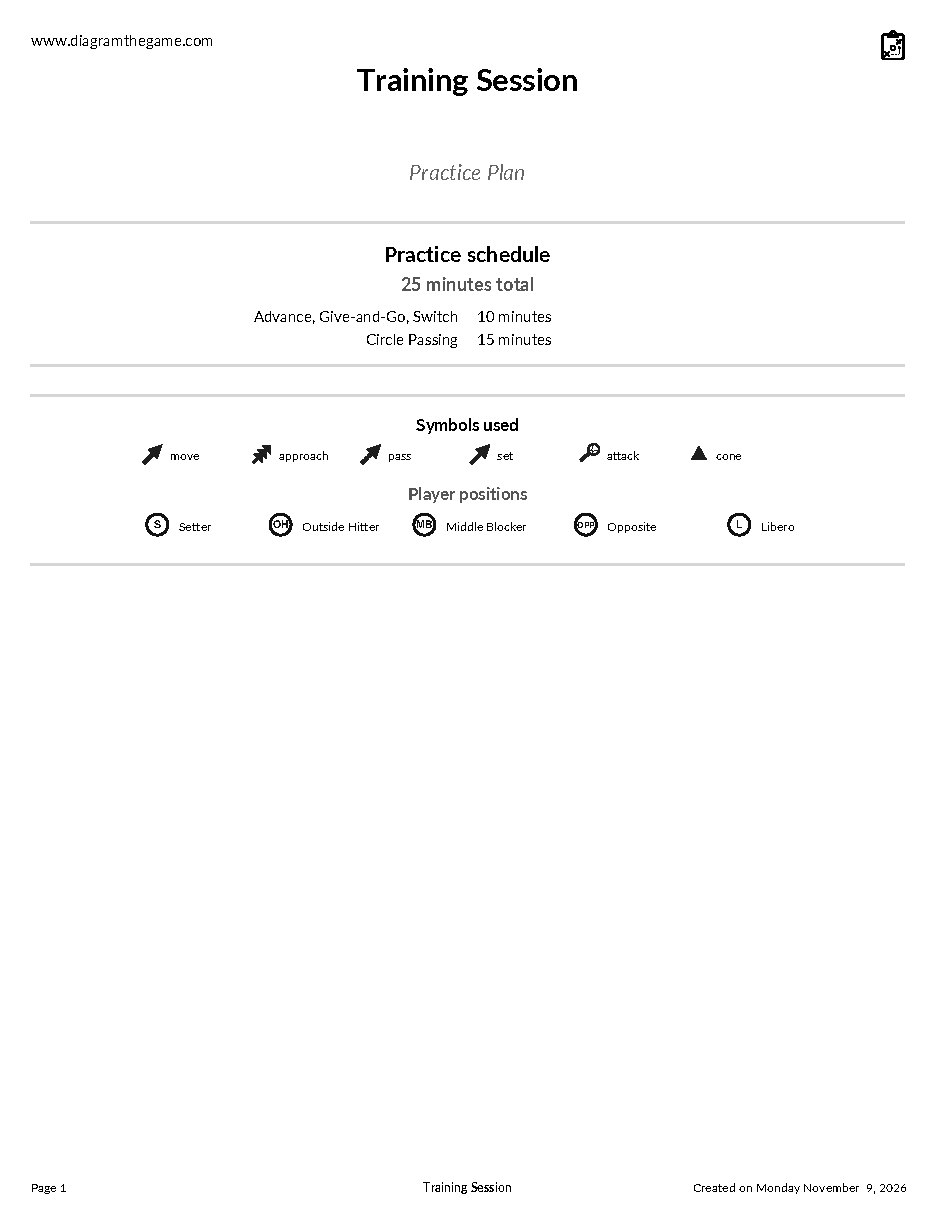
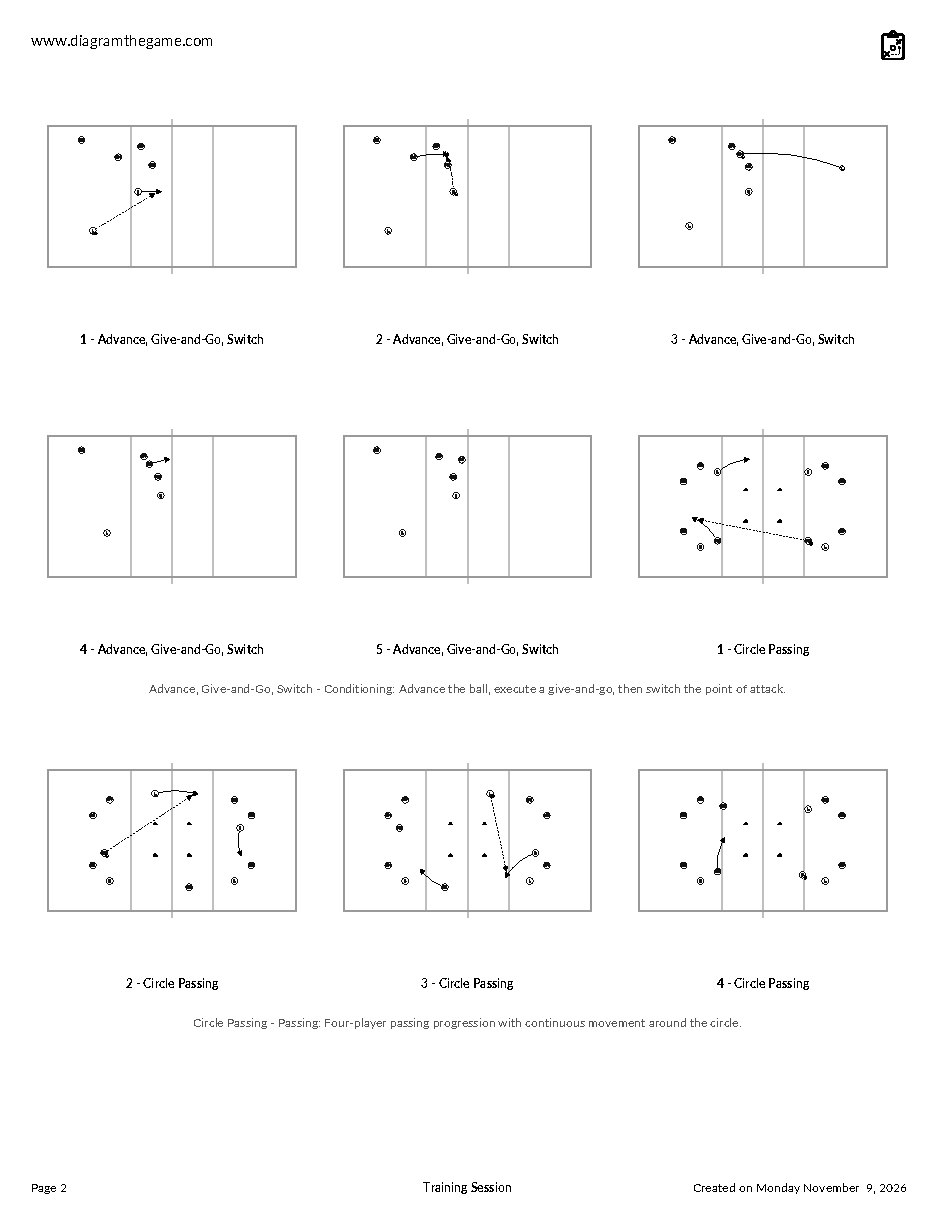
A finished practice plan
Page one is the schedule: each drill with its minutes and the total, then the symbol key. Page two shows every drill's frames with your notes.
- Advance, Give-and-Go, Switch 10 min Conditioning: Advance the ball, execute a give-and-go, then switch the point of attack.
- Circle Passing 15 min Passing: Four-player passing progression with continuous movement around the circle.
Total: 25 minutes
A sample of what the builder prints, not an editable template.
Send it any way you want
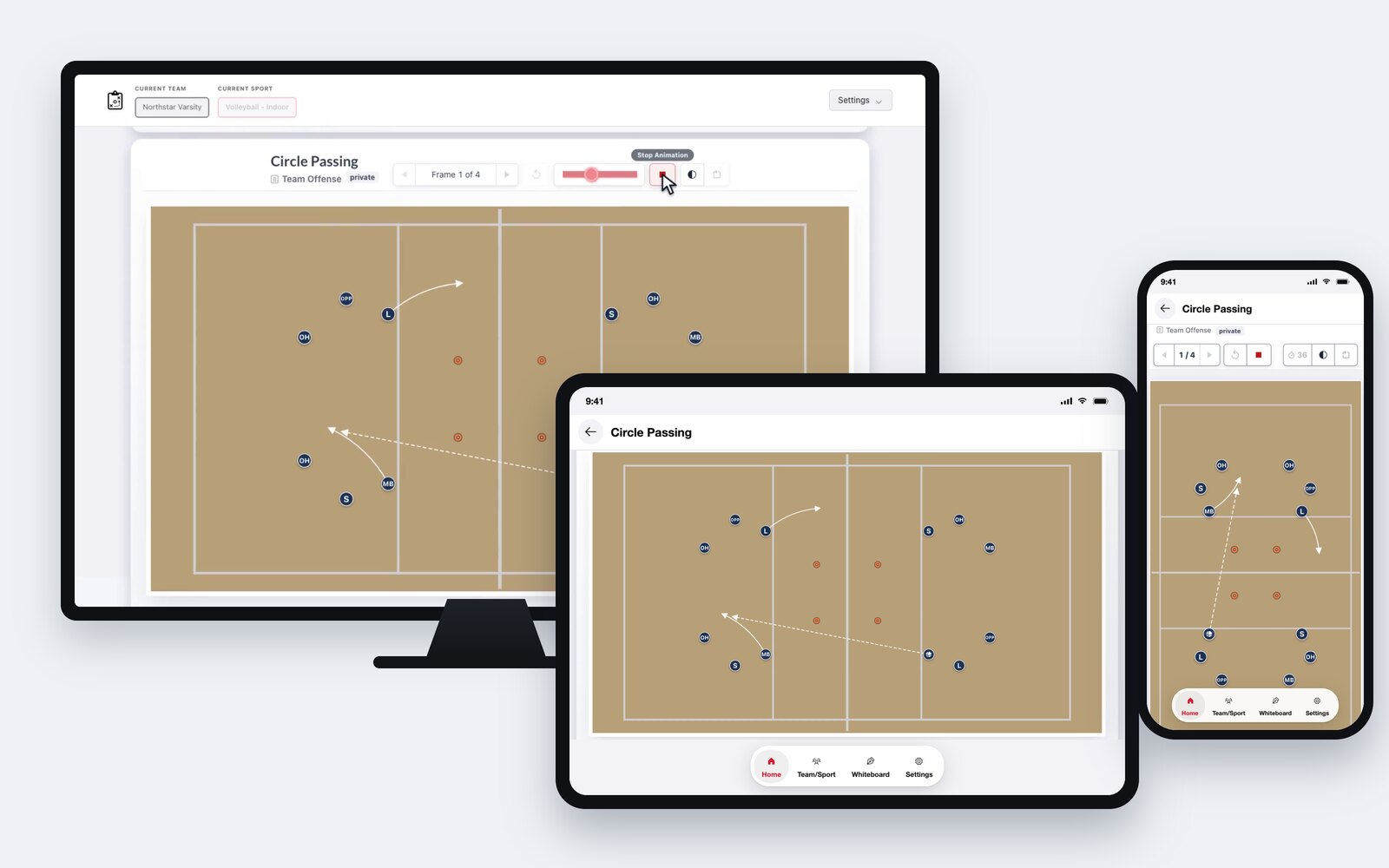
Print the PDF for the clipboard, or share the plan with your team. Players open it on a phone, tablet or computer and tap any drill to watch it animate.
- A PDF for your staff, the clipboard or the locker room.
- Web and mobile
- Players see team plans in the player app on any device.
- Before practice
- Players know the drills before they get there.


Frequently asked questions
Can I use this as a practice plan template?
Yes. Build a plan with sections, drills, minutes and notes, then edit it for your next practice.
Can I organize my practice plan by section?
Yes. You can divide your practice plan into named sections such as warmup, offense, defense, and conditioning. Each section can contain multiple drills, each with its own minutes.
Can I print practice plans?
Yes. DiagramTheGame generates a PDF from your practice plan. Print it to share with your coaching staff or post in the locker room before practice.
How does autogenerate work?
Pick what to work on, like passing or shooting. Autogenerate adds matching drills from your library, and from the curated library if you turn it on.
Can I share practice plans with my team?
Yes. In the player app, your players can view practice plans and the drills in them through the DiagramTheGame player app. They can review what is coming in practice before they arrive.